

Model Train Guides
Lionel Train Sets Guide: O Gauge, LionChief and Room Planning
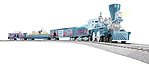
Lionel train sets are often chosen for their O gauge presence, sound, lighting, themed cars, and family appeal. The large equipment can be easier to see and handle than smaller scales, but the track footprint is also larger. A good purchase begins with room planning and exact control-system identification, not with the locomotive artwork alone.
The examples below use verified individual Lionel set listings and the broader model-train guide cluster. Use the exact item number, package contents, curve requirement, control method, and power needs for every candidate. Lionel features vary by set and should never be copied from one product to another without verification.
What “O gauge” means for the room
O gauge describes the track gauge, while the models may use proportions associated with traditional O gauge or other Lionel conventions. For the buyer, the practical issue is the outside diameter or footprint of the supplied curve. Larger equipment needs adequate curve radius, clearance around the track, and space for overhang.
Measure the full assembled loop and add a safety border. A train running near a table edge needs room for derailment recovery and for the body of a long car to swing outward on a curve. If the set will circle a tree or furniture, measure supports, branches, cords, and pedestrian paths.
Floor, table or permanent layout
Floor layouts favor quick assembly and durable track but must be protected from feet, pets, fibers, and moisture. Table layouts provide cleaner operation and safer edges. Permanent layouts allow scenery and wiring but require access to every section. Decide where the set will actually run before comparing features.
Identify the included control system
Lionel has used conventional control, LionChief remotes, Bluetooth control on supported products, and broader command systems. These labels are not interchangeable. Confirm the exact set’s controller, remote, app support, transformer or power supply, batteries, and compatibility in the product documentation.
For example, the Lionel Disney Frozen 2 LionChief set #2023040 should be evaluated by the features listed for that item. Lionel’s official Bluetooth control documentation explains supported workflows, but it does not mean every Lionel locomotive or set has identical Bluetooth functions.
LionChief and advanced command are different decisions
A LionChief set can provide approachable remote operation and, on supported versions, app control. Advanced systems such as Lionel’s command ecosystem can coordinate equipped locomotives and additional functions, but they involve different hardware, compatibility, and setup. A first-time buyer should not pay for or plan around an advanced feature without confirming the exact locomotive and controller support.
If future expansion matters, write down every identifier: set number, locomotive number, control label, track type, power supply, and app or remote requirements. Lionel’s official Cab3 documentation can be useful for supported command products, but the set manual remains the starting point.
Compare starter and premium set purposes
A themed starter set may prioritize recognizable characters, animation, announcements, ease of use, and seasonal display. A premium set may emphasize a specific railroad, detailed rolling stock, command features, smoke, sound, or a more advanced locomotive. Both can be correct purchases for different operators.
The Lionel M1 Middle Division Manifest LEGACY set #2422040 should not be compared with a themed starter package only by car count. Their control expectations, locomotive detail, intended operator, and expansion path differ.
Read the set contents carefully
- Locomotive: exact road name, number, control type, sound and smoke features.
- Cars: number, type, couplers, removable loads, lighting or animation.
- Track: family, number of sections, curve designation, terminal or connection pieces.
- Power: power supply or transformer and any separate requirements.
- Controller: included remote, wired control, app support, and batteries.
- Accessories: figures, signs, extra track, smoke fluid, or other stated items.
Do not assume scenery shown in marketing photos is included. Also confirm whether batteries are needed for the remote and whether a compatible mobile device is optional or required for any feature.
Track choice affects every expansion
Lionel has offered several track systems over time. Track that shares O gauge does not necessarily connect directly or sit at the same height. Identify the supplied track family before buying straights, turnouts, crossings, or expansion packs. Use approved transition pieces when mixing supported systems.
A wider curve can improve the appearance and operation of longer cars, but the locomotive and cars each have minimum requirements. The most restrictive piece in the train governs the layout. Keep the set’s instructions and record the minimum curve designation.
Plan for sound, smoke and household use
Sound and smoke are part of the Lionel experience for many operators, but they affect where and how the train is used. Sound levels can be intense in a small room. Smoke should be used only according to the manufacturer’s instructions, with consideration for ventilation, sensitivities, detectors, and household preferences. Never add unapproved fluids.
Young operators need adult supervision around electrical equipment, small parts, hot components, and moving trains. Larger models are easier to grasp but can also be heavy. Lift locomotives by solid structural areas rather than railings, rods, or detail parts.
Create a reliable first operating session
- Inventory every item against the package list before assembly.
- Build the supplied loop on a flat, clean surface with every joint fully seated.
- Connect only the included or approved power equipment as directed.
- Place the locomotive on the track and test at low speed without cars.
- Add one car at a time and watch couplers, curves, and clearance.
- Test sound, lighting, remote, Bluetooth or smoke functions individually.
- Save packaging, manuals, item numbers, and controller instructions.
For a general comparison of scale and control paths, use the train sets guide. For the contents a first box should include, see the train set buying guide.
Frequently asked questions
Do all Lionel train sets use LionChief?
No. Lionel has multiple control approaches across eras and products. Check the exact set number and documentation.
Can all O gauge cars run on the supplied curve?
Not necessarily. Long cars and some locomotives require wider curves. Check the minimum curve for every piece, not just the set locomotive.
Can I control a Lionel set with my phone?
Only supported products and configurations offer Bluetooth or app control. Confirm the exact item and required app, hardware, and device before purchase.
Muncle Mikes tip: Photograph the set number, power supply label, remote, and track connector. Those four images make future Lionel expansion much safer.

