

Storage
How to Organize Hot Wheels and Find Every Car
A useful Hot Wheels inventory answers two questions quickly: do I already own this version, and where is my copy? Start with a short record for each car and a location code for each box or display. You can sort the collection by manufacturer, casting or color later without losing track of the individual pieces.
Work through one tray or box at a time. Photograph the cars, add their records and give them a home before opening the next box. This keeps an unfinished sorting session from turning into a larger pile of unidentified cars.
Give each copy an ID that stays with it
A casting name identifies a design, not a particular car in your collection. Two examples of the same release may have different condition, packaging or wheel changes. Give each physical copy a simple permanent ID, such as MM-0001, and keep that ID when you move it or change how the collection is grouped.
Record the brand, casting name, body color, visible decoration, wheels and packaging status. Add a release year or series when you have support for it; leave an unknown field blank instead of guessing. For a custom, record the modifications separately from the original casting identity.
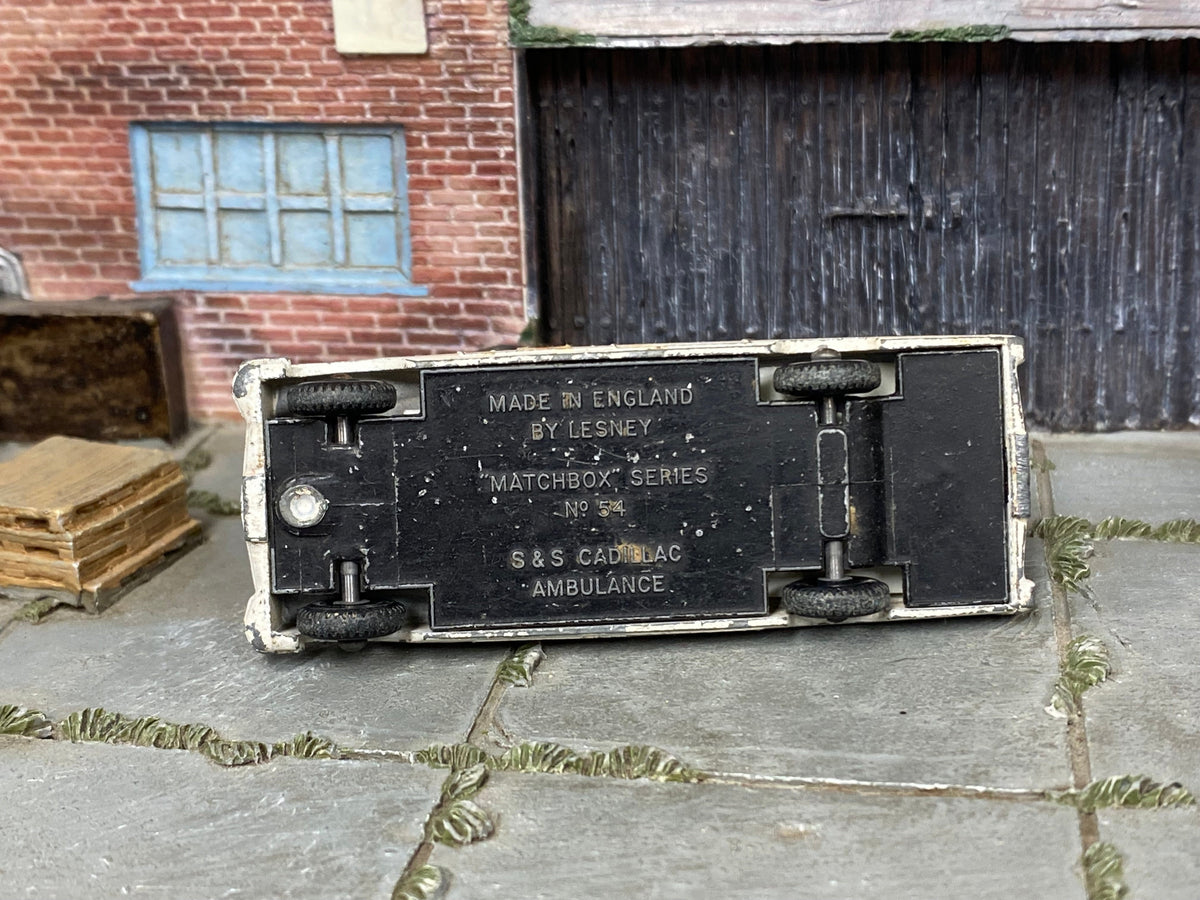
The opening photograph shows the underside of a Lesney Matchbox No. 54 S&S Cadillac Ambulance, rather than a Hot Wheels car. It is a useful example of an identification photo in a mixed collection: readable base markings can preserve details that a side-view photo misses. Keep the brand accurate in the record.
Use a small set of fields consistently
| Field | What to enter |
|---|---|
| Item ID and identity | Your permanent ID, brand, casting name and supported release details. |
| Appearance and condition | Color, decoration, wheels, visible wear and any known modifications. |
| Packaging and photographs | Loose or carded, packaging condition and links to photos named with the item ID. |
| Location | A code for the actual box, tray or display holding this copy. |
| Purchase details | Date, source and what you paid, if you want to track spending. Keep purchase cost separate from any later value estimate. |
A spreadsheet is enough to start. Use the same wording each time: for example, choose either “carded” or “in original blister” for that status rather than switching between several terms. You can then filter the collection without having to remember which wording you used for each row.
Examples from the Muncle Mikes collection
These examples show which details distinguish a loose car, a carded release and a finished custom. Use the full product photographs when comparing a possible addition with your own collection.
Loose purple-and-orange Hot Wheels Twin Mill

Record the purple body, orange decoration, blue canopy and larger rear wheels, then note the actual wear on your copy. This car is sold loose, without a retail card or blister.
Carded pink-and-white HW Warp Speeder Treasure Hunt

Keep the casting and color details together with photographs of the card and blister. For a carded collection, the packaging has its own condition to record; a photo of the car alone leaves that out.
Custom 2016 Mercedes-AMG GT3

Record the installed BBS-style wheels and rubber tires as modifications. The “2016” in the represented vehicle name is not, by itself, the release year of this Hot Wheels copy.
Make locations easy to change
Label the storage, rather than building its location into the car's permanent ID. For example, BOX-03 can identify a box and DESK-01 a display. A car can keep MM-0001 while its location changes from BOX-03 to DESK-01. You only update one field.
Use a temporary intake tray for new arrivals. Add the record and photos before moving a car into its long-term location. If a car leaves the collection, mark the record as sold, traded or given away instead of reusing its ID for something different. That keeps old photographs and purchase notes attached to the right item.
When planning the display, separate loose cars from carded packages and measure the space each needs. The display-case guide compares individual cases, a desktop tower and card protectors.
Check for duplicates before buying
Search by casting name, then compare the color, decoration, wheels and packaging with your photos. A matching name may still be a different version, while two different seller titles may describe the same one. Decide whether you want another copy before buying; a deliberate duplicate can have a purpose, such as keeping one carded and one loose.
Keep a current copy of the inventory available on your phone and save a backup of both the file and the photographs. After a display rotation, update the moved cars' locations while you still have them in front of you.
Before choosing your next addition, compare your records with the loose-car selection, carded cars or finished customs. Return to Muncle Mikes collector guides for more collecting and display advice.

